WoW Season of Discovery: One-Click Rune Switching addon! Essential for Raids!
Last updated on January 22, 2024 by MMOJUGG Team | Game: WOW Classic Season Of Discovery Guide |

In the WoW Season of Discovery, frequent balance adjustments to various classes have developed different playstyles for each class, with rune combinations crucial!
However, the native UI operation of the WoW SoD rune system is quite cumbersome, and the character equipment tooltip panel can obscure the rune interface, making rune swapping a troublesome task. In fast-paced raid teams, you might find that the team cleared the mobs before you switched your runes!
Today, we recommend a convenient rune-switching wow sod addon: RuneReminder.
Firstly, here are the functions it provides:
-Track currently collected and engraved runes.
-Notifications when deleting or changing runes (and one-click reapplication).
-Easily swap engraved runes without using the native window.
-Configuration options for appearance and functionality customization.
-Rune Sets - Save and load complete sets of runes (detect different runes and queue them automatically to a single button; click once for each updating rune).
-Simple drag and drop + fine-tune buttons in the options for more precise positioning.
-Cooldown timer (optional).
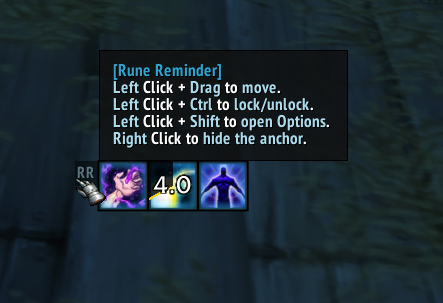
You can freely drag the rune frame to any position on the screen.
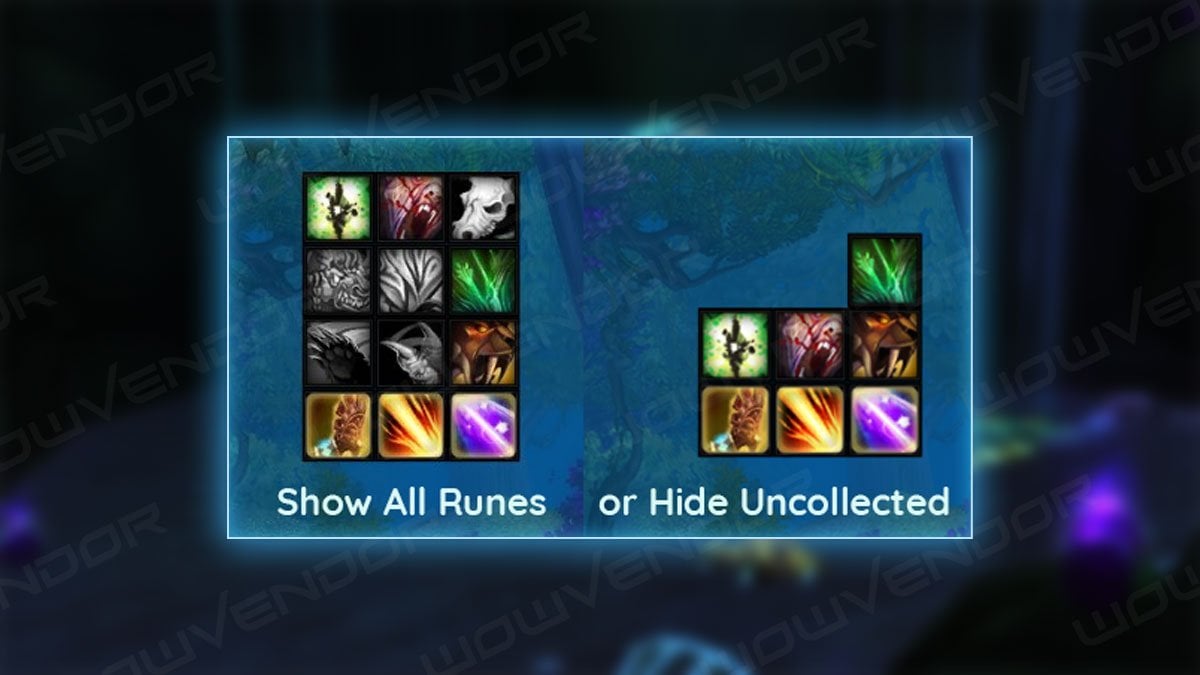
It can display all runes for the current class or only those already collected.
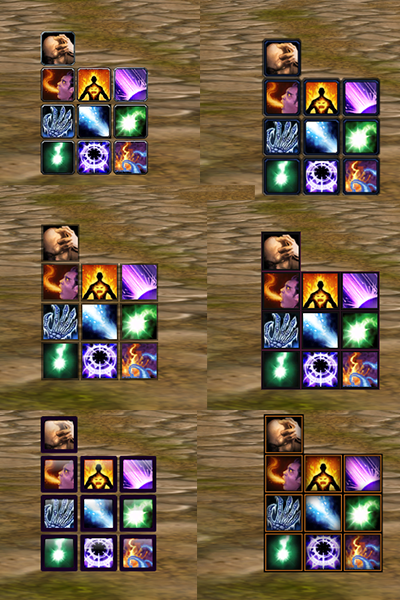
Customize the widget's size, display position, rotation, and rune direction to fit your interface.
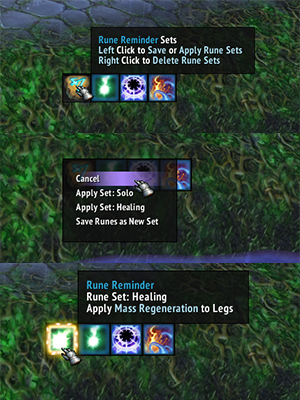
One of the best features is the ability to save multiple sets of runes for different scenarios, similar to one-click gear swapping. With this, you can save sets for leveling, dealing with dungeon mobs, and facing dungeon bosses. When needed, you can click to switch quickly.
Other operational instructions:
Shift + click on the widget (or type /rr options) to open the options panel. Here, you can configure notifications and rune widgets to suit your preferences.
Left-click and drag the anchor point, Ctrl + click to lock/unlock it, right-click to hide the anchor point.
Click on a gear slot to expand the runes in that slot. Right-click to toggle expand/collapse for all slots.
Select a rune to apply it to the corresponding equipment slot without opening the character window.
Left-click the "Rune Sets" button to save or load rune sets (automatic queueing of runes; click once for each updating rune). Right-click to delete rune sets.
Recommend videos about Rune Reminder:
There are more secrets to discover in the Season of Discovery Phase 2; currently, phase 2 is close. Stay tuned to MMOJUGG.com for more information and strategies about the WoW Season of Discovery.
Gold purchases for the Season of Discovery are now open. US players, please click the link to order the Season of Discovery Gold, and EU players, please click the link to order the Season of Discovery Gold EU—discount code: mmojugg.
Table of Content
 WoW SoD Gold
 WoW SoD Items
 WoW SoD Boosting