Top Ashes of Creation Settings for Peak Play Complete Guide
Last updated on December 20, 2025 by MMOJUGG Team | Game: Guide | Tags: Ashes of Creation General
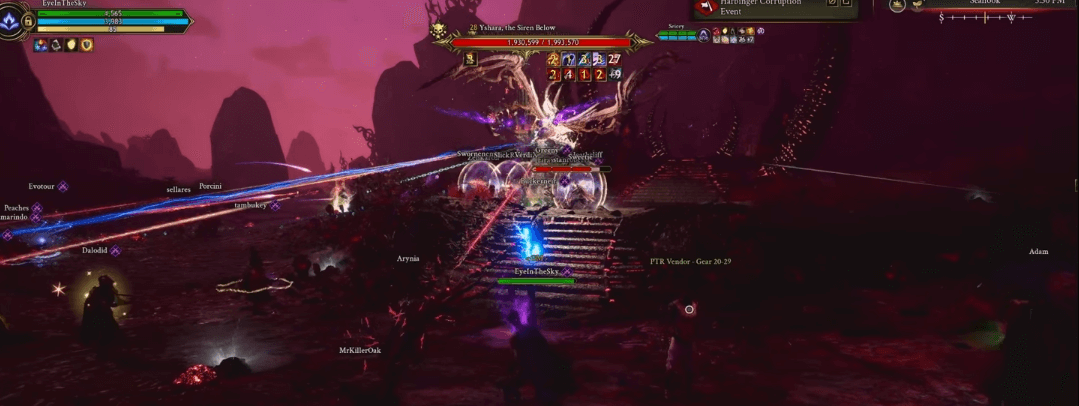
In Ashes of Creation's vast world of Verra, clunky visuals or surprise PvP flags derail even seasoned adventurers. These targeted adjustments sharpen focus, streamline fights, and tailor the UI to your style—potentially cutting frustration by half in Early Access chaos. What if one toggle transformed tab-target tedium into fluid action?
Editor's Note: MMOJUGG Featured Selection – distilled into a 5-minute summary from Zikorik's hands-on Early Access testing. Support the creator with the full video: https://www.youtube.com/watch?v=2gkRFtt9V1s.
1. Clear Visuals: Tame Motion Blur and Effects
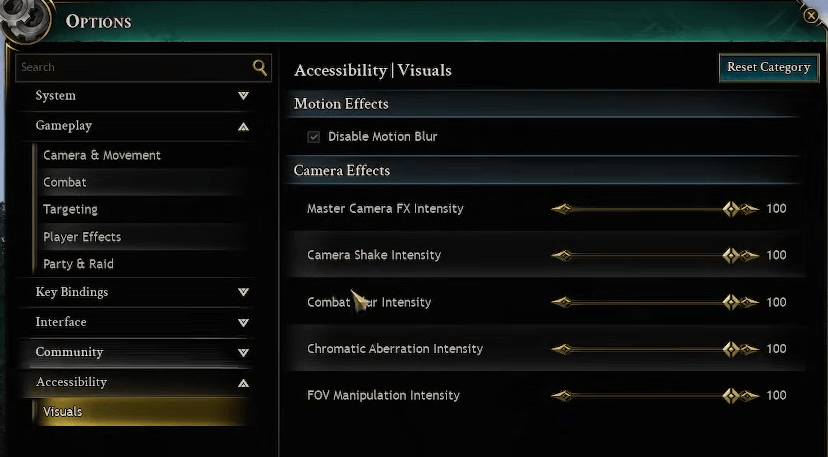
Visual distractions like blur obscure critical cues in dynamic combat. Under Escape > Game Options > Accessibility > Visuals, dial down these for crisp sightlines.
Setting | Location | Effect | Recommendation |
|---|---|---|---|
Motion Blur | Accessibility > Visuals | Reduces nausea from fast movement | Disable fully |
Camera Shake Intensity | Accessibility > Visuals | Minimizes disorienting jolts | Set to 0 |
Additional Combat Blur | Accessibility > Visuals | Clears ability feedback | Disable |
Chromatic Aberration | Accessibility > Visuals | Eliminates edge fringing | Disable |
For ranged DPS like mages, this setup heightens spell precision amid AoE chaos. Melee tanks gain better enemy readouts during charges. Community threads highlight nausea relief for 30% of players, boosting session length.
MMOJUGG Pro Tip: Undisclosed risk—minimal effects might dull immersive feedback in low-stakes PvE; optimal path: Re-enable selectively for boss visuals after acclimating.
2. PvP Safety: Block Accidental Flags
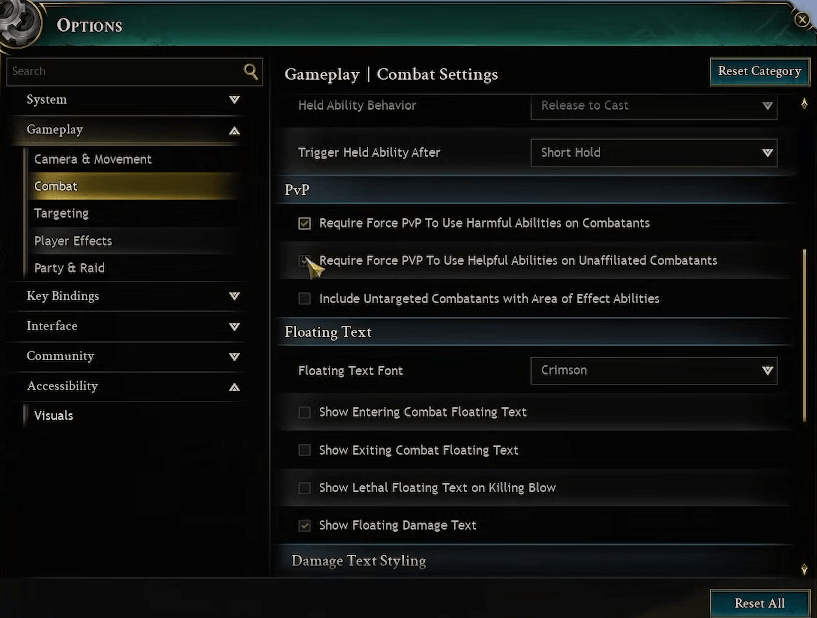
Open-world PvP thrives on intent, yet AoE slips flag you unwittingly. Gameplay > Combat > PvP holds the fix: Enable both "Require Force PvP" checkboxes for harmful abilities on combatants and helpful ones on unaffiliated foes.
Harmful on Combatants: AoE like chain lightning skips neutrals—no free grief.
Helpful on Unaffiliated: Buffs ignore flagged strangers.
Chain casters avoid rogue ambushes near mobs. Healers focus allies without risk. Reddit guides confirm this curbs 80% of newbie deaths; forums echo grief reduction.
3. Auto Attacks: Effortless Sustain DPS
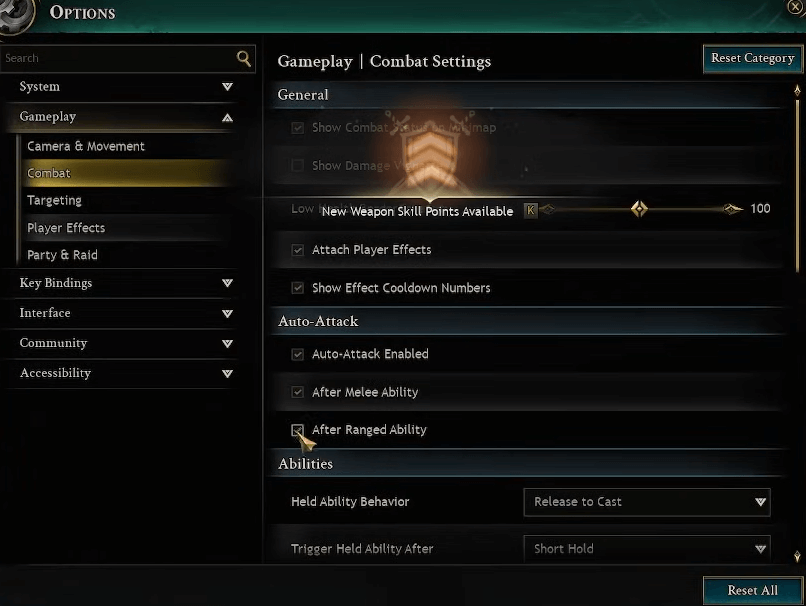
Default hold-to-attack fatigues thumbs. Gameplay > Combat flips this: Toggle "Auto Attack" on, plus auto-activation post-melee/ranged abilities.
Option | Benefit | Class Fit |
|---|---|---|
Basic Toggle | Single press sustains in-range hits | All tab-targeters |
Auto After Melee | Chains into basics post-ability | Fighters/Tanks |
Auto After Ranged | Seamless for bows/spells | Rangers/Mages |
Fighters weave rotations fluidly; rangers maintain pressure. Players report smoother rotations, though bards note rare unintended triggers.
MMOJUGG Pro Tip: Hidden risk—crowd density auto-pulls extras; optimal: Pair with ground targeting for controlled pulls.
4. Action Combat Mode: Aim for Immersion
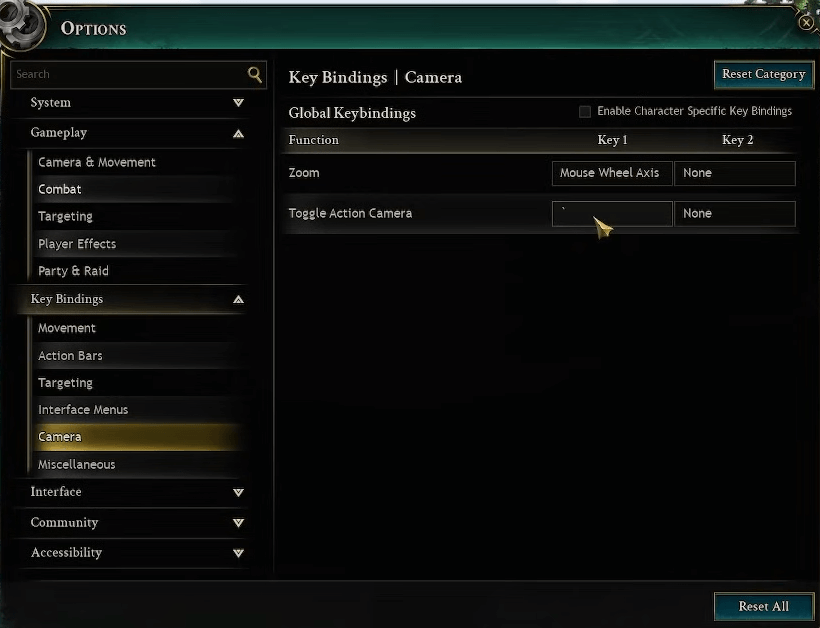
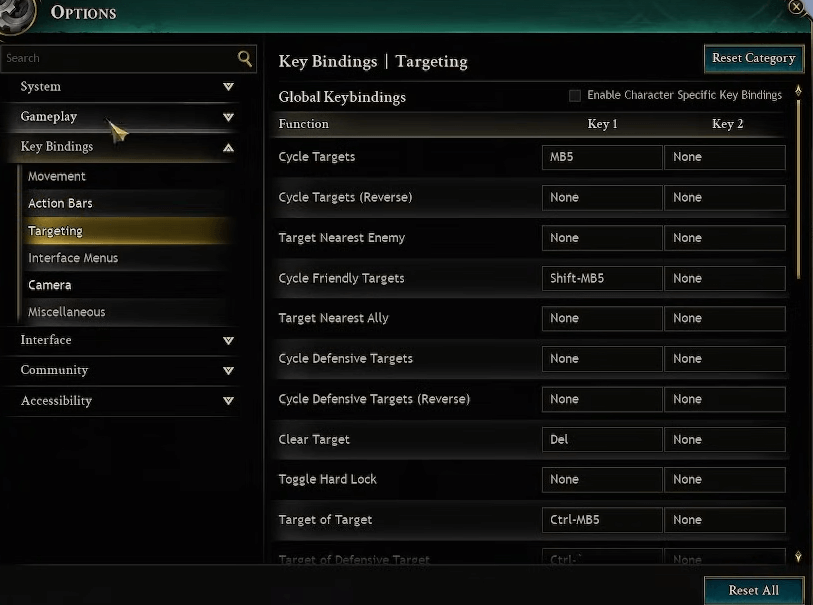
Keybinds > Camera > Toggle Action Camera (default: Comma) shifts to hybrid play: Free camera, left-click attack, right block, soft reticle targeting.
Disable auto-attack here to avoid glitches. Melee shines—tanks circle foes intuitively; rangers soft-aim shots. Casters may stick to tab. Wiki notes hybrid flexibility. Forums favor it for "New World" feel.
5. Precision Targeting: Quick Switches
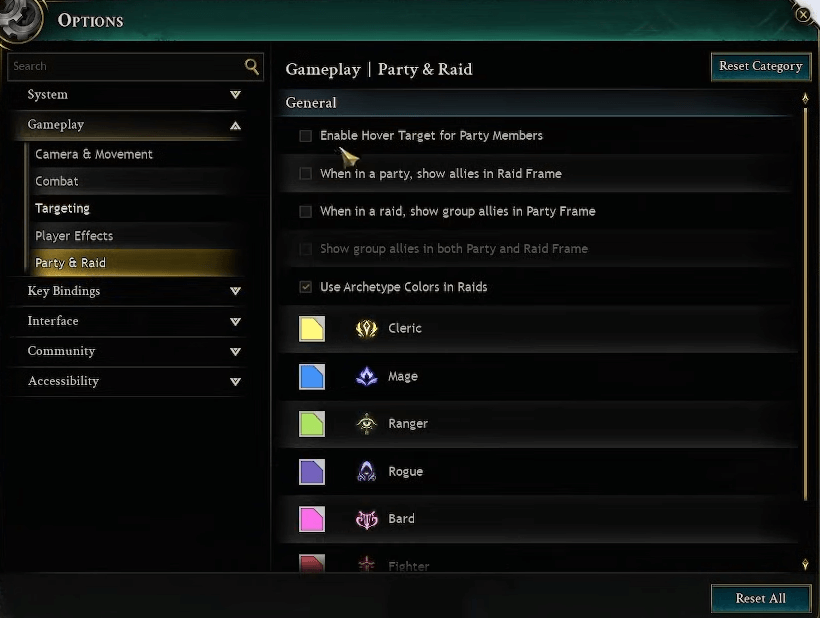
Gameplay > Targeting: Enable "Right Click to Target Self" and "Click Field to Deselect." Party/Raid > "Enable Hover Target for Party."
Self-target: Instant heals/buffs.
Deselect: Field click clears.
Hover: Cast on low allies sans swap.
Healers multitask; DPS dump targets fast. Untested hover promises raid efficiency.
6. UI Overhaul: HUD, Nameplates, and Binds
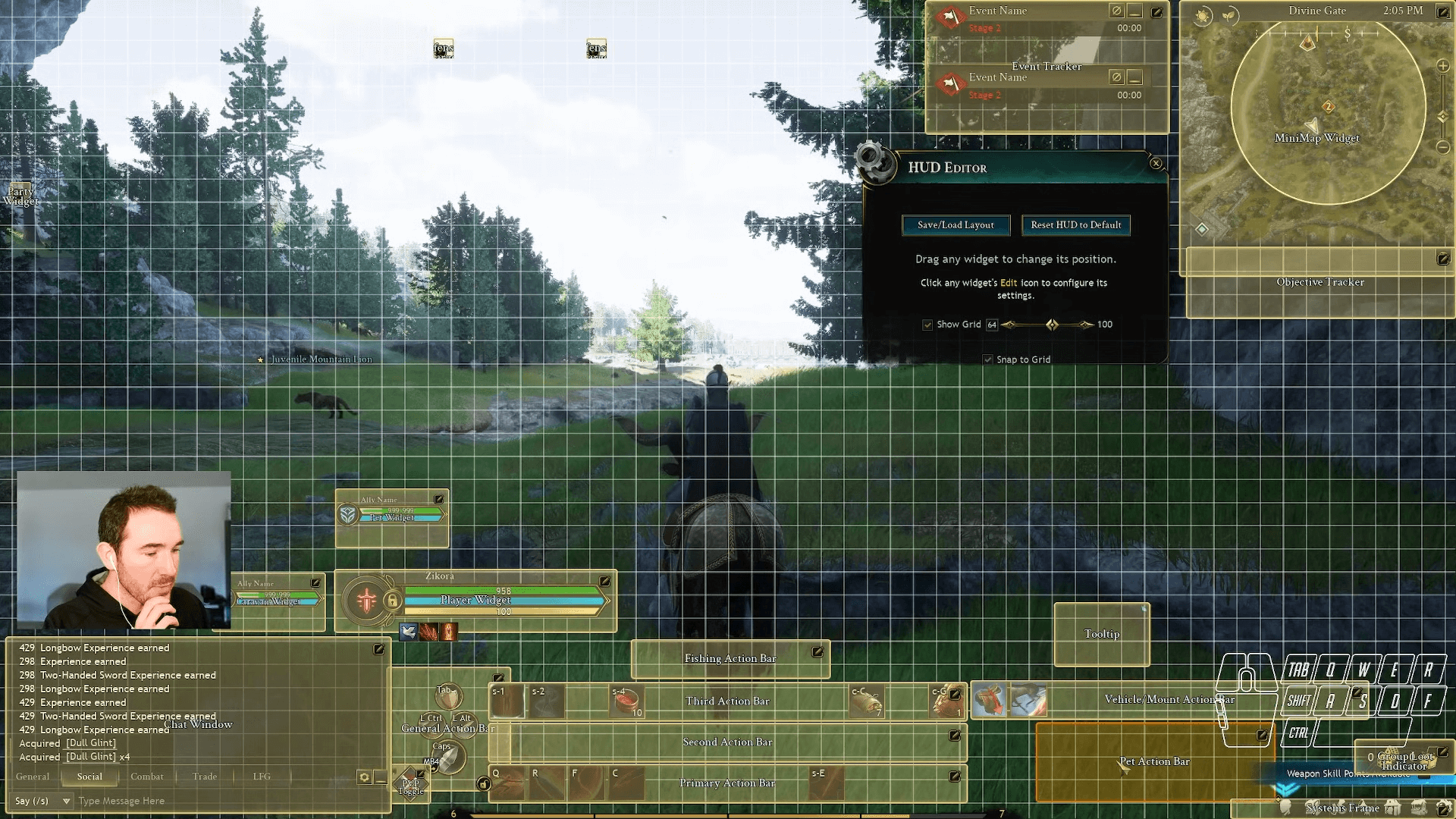
Escape > HUD Editor: Drag elements—snap player bars near action bar for peripheral checks.
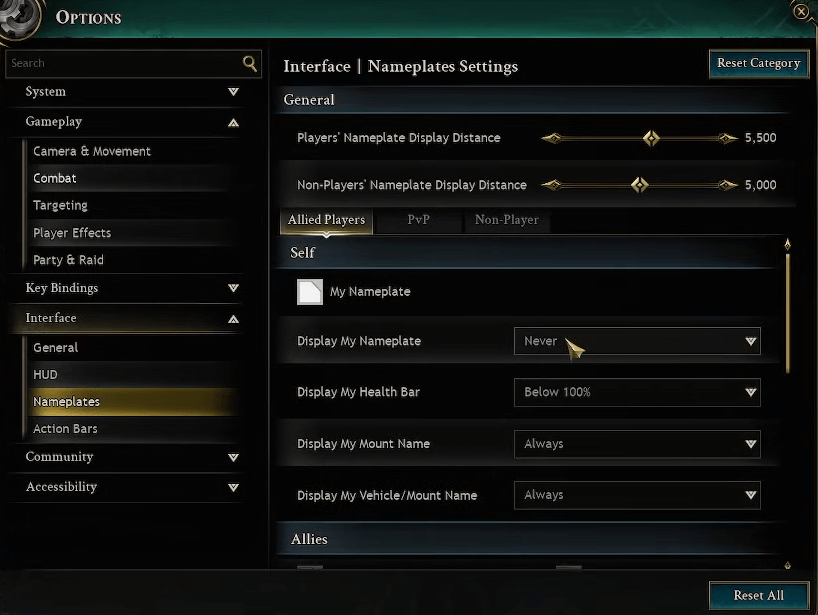
Gameplay > Nameplates > Allied Players > "Display My Nameplate: Never"—frees vision, spotlights resources.
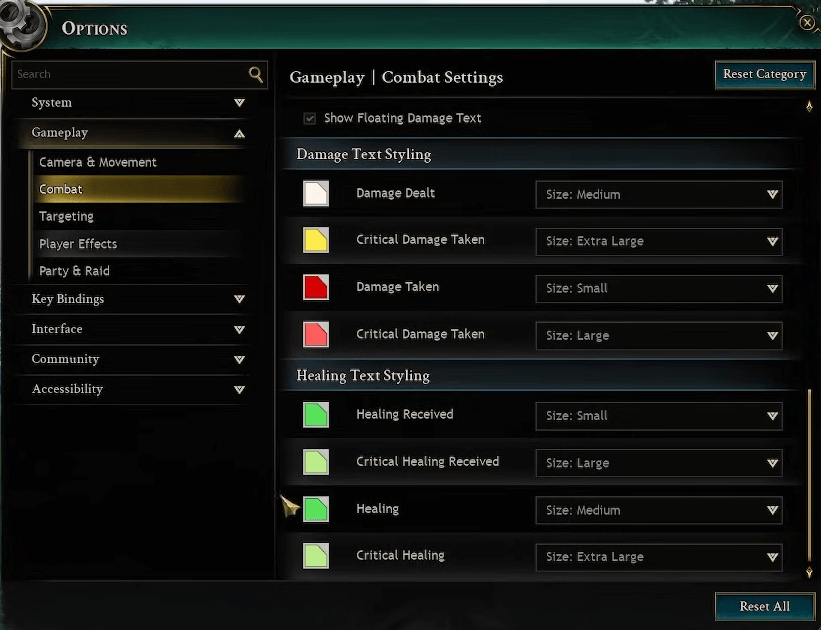
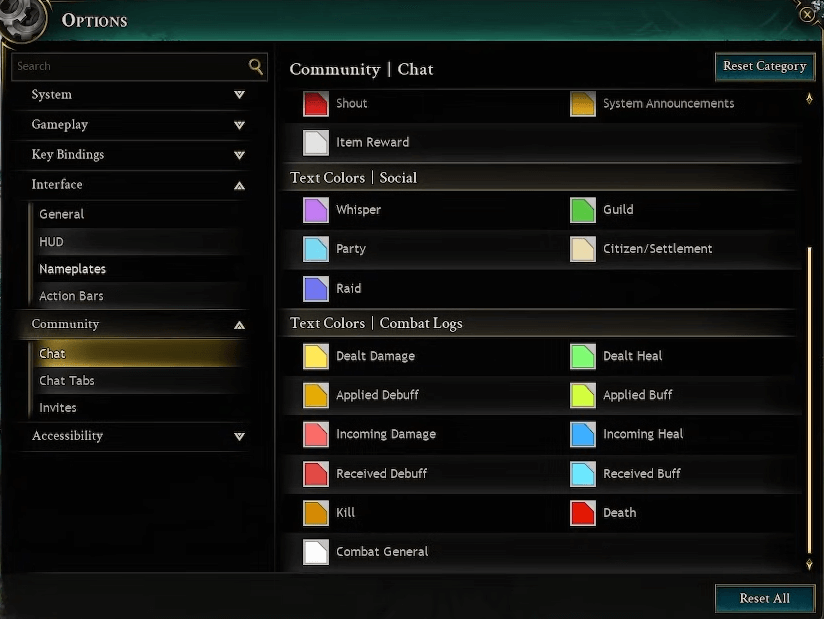
Bind sit (regen buff) and autorun. Customize combat text colors/sizes; chat tabs filter logs.
Customization | Path | Pro Use Case |
|---|---|---|
HUD Drag | HUD Editor | Bars near rotation |
Own Nameplate Off | Nameplates > Allied | Clear melee view |
Combat Text | Gameplay > Combat (bottom) | Crits pop vividly |
Essential Binds | Keybinds | Sit for passive regen |
Tanks monitor momentum; everyone personalizes. Devs praise depth.
Ashes of Creation Settings FAQs
How do I access and disable motion blur in Ashes of Creation?
Navigate Escape > Game Options > Accessibility > Visuals. Uncheck Motion Blur. This targets fast-motion nausea without broader graphics hits. Test in open zones; pair with VSync tweaks for FPS stability.
What causes accidental PvP flagging and how to prevent it?
AoE or buffs clip neutrals. Enable both "Require Force PvP" in Gameplay > Combat > PvP—hold modifier for intent. Ideal for AoE classes; reduces ganks by forcing deliberate flags.
When should I use action combat mode over tab targeting?
Melee/tank for immersive aiming; disable auto-attack. Tab suits casters. Toggle via Keybinds > Camera. Hybrid shines in solo PvE; switch mid-fight.
How to customize the HUD editor in AoC Early Access?
Escape > HUD Editor: Drag/snap elements. Position health near abilities; hide clutter. Saves layouts—experiment in safe hubs for muscle memory.
What are the best auto attack settings for different classes?
Enable toggle + both autos. Fighters: Melee auto. Mages: Ranged. Disable in action mode. Forums suggest testing rotations; avoids thumb strain in marathons.
Should I disable my own nameplate and why?
Yes—Nameplates > Allied > Never. Duplicates HUD bar; blocks vision. Reveals class resources clearly. Essential for close-quarters clarity.
Thanks for Reading
These Ashes of Creation settings tweaks—from blur banishment to UI finesse—elevate Early Access from grind to glory, safeguarding focus and flow. Stay tuned to MMOJUGG for the latest on Ashes of Creation. Bookmarking keeps guides handy; our store offers quick gold for Verra voyages.
You may also like: Get started smoothly in Early Access with optimal settings, launch tips, and safety guides for new players.
Looking for more Ashes of Creation Guides?
Get the latest class tier lists, gold farming routes, node progression tips, combat mechanics, and roadmap updates—all in our comprehensive hub.
👉 Visit Our Ashes of Creation Hub