PoE2 Trade Site Guide: Find & Buy Items Easily
Last updated on March 30, 2025 by MMOJUGG Team | Game: Path of Exile 2 Guide | Tags: poe2 beginner guide
Path of Exile 2's trade site is your ticket to snagging the perfect gear without relying on RNG gods. Launched alongside Early Access, it's a beast of a tool—overwhelming at first, but a goldmine once you get the hang of it. Whether hunting a rare unique like Temporalis or crafting bases with killer mods, this guide breaks down how to use the site to find and buy items fast. With Dawn of the Hunt (Patch 0.2.0) live as of April 4, 2025, and new servers splitting the player base, knowing how to navigate the trade site is more crucial than ever. Let's dive in and turn you into a trading pro!
Getting Started: The Basics
Head to the official PoE 2 trade site (linked in-game or via pathofexile.com/trade2). Log in with your game account—Steam works too—and you'll land on a page packed with search fields. Don't panic; it's simpler than it looks. The top bar is your starting point:
Search Bar: Type an item's exact name—like “Foxshade Quilted Vest”—and hit search. Listings pop up with prices, seller names, and timestamps.
Direct Whisper: Click this to auto-message the seller in-game (e.g., “Hey, I'd like your Foxshade for 1 Exalted Orb”). If they're online, they'll invite you to trade.
Pro tip: Check the “Listed” filter under Trade Filters—set it to “3 hours” to avoid messaging folks who posted months ago and won't reply. Nothing's worse than ghosted trades!
How to use filter on Poe2 market?
The site's filters are where the magic happens. Here's how to zero in on what you need:
Item Category: Pick your gear type—boots, swords, skill gems, whatever. Narrow it down to “Two-Handed Axe” or “Support Gem” to cut the noise.
Rarity: Want a white base for crafting? Select “Normal.” Chasing uniques? Go “Unique.” “Any Non-Unique” is excellent for rares or magics with specific mods.
Stat Filters: The big one. Search for mods like “+% Movement Speed” or “+Maximum Life.” Can't recall the exact wording. Use the tilde () key before your term—like “fizz dam”—to fuzzy-search “Physical Damage to Attacks.”
Equipment Filters: Set minimum Physical DPS (e.g., 600) for weapons. For armor, crank up Energy Shield to 900. Add “Max Rune Sockets: 0” if you avoid slotted gear.
Example: Need boots with 35% movement speed, 100+ life, and two resistances? Set Item Category to “Boots,” Rarity to “Any Non-Unique,” then add Stat Filters:
“% Increased Movement Speed” (min 35)
“+Maximum Life” (min 100)
Group “Fire/Cold/Lightning/Chaos Resistance” with “Count: 2”
Hit search—bam, tailored results. Start broad, then tweak; too many mods early in a league might leave you with nothing.
Advanced Tricks: Precision Hunting
Requirements: Filter by level or stats (e.g., “Max Level: 20” for lowbies or “Min Strength: 100” for specific builds).
Miscellaneous: Hunting a Level 20 Ice Strike gem? Set “Gem Level: 20” and “Corrupted: No.” Want unidentified uniques to gamble? Toggle “Identified: No.”
Live Search: Click the yellow “Live Search” button for rare items (e.g., a perfect Temporalis with “-4s Cooldown”). It pings when matches list—perfect for sniping deals.
Sort Smart: Click a mod in the results (like “+Energy Shield”) to sort high-to-low. This will help you find the juiciest rolls quickly.
Bulk Buying: Currency and More
The “Bulk Item Exchange” tab is your go-to for stackables—currency, fragments, and essences. Say you've got 3,000 Chaos Orbs and want 100 Divine Orbs:
Set “Have: Chaos Orb” and “Want: Divine Orb.”
Adjust “Stock Count” to 100+ to filter big sellers.
Slide the trade bar to your amounts, then Direct Whisper.
Group by seller to bundle deals—like Exalted and Divine Orbs from one trader. Skip the first few listings; they're often price-fixers.
New Servers, New Opportunities
With Dawn of the Hunt splitting players between legacy Early Access leagues and fresh servers, trading's wild. Legacy's inflated (425 Exalted per Divine!), but new leagues start clean—ideal for early buys before prices soar. Leaderboards add stakes; snag gear fast to climb ranks. Stay on new servers for the busiest markets and best deals.
Tips to Trade Like a Pro
Start Simple: Early on, grab gear with 2–3 key mods (e.g., movement speed + life). Prices are lower, and you'll upgrade later.
Check Online Status: Default is “Online Only”—toggle to “Any” for rare finds, but expect delays.
Price Savvy: Exalted Orbs are king for now; Divine values are wonky on the site. Set the “Buyout Price” to Exalted to avoid overpaying.
Etiquette: The Buyer travels, and the seller initiates trade. Wait for their invite, and don't spam whispers—patience pays.
Why It's Worth It
The trade site turns PoE 2's grind into a player-driven bazaar. Skip hours of mapping for that dream bow—buy it instead. With filters, you're not just browsing but hunting precisely what your build needs. New to the game? Start small—grab a Foxshade for 1 Exalted. Seasoned exile? Snipe a god-tier Temporalis. Either way, you're in control.
Thanks for Reading
That's your crash course on the PoE 2 trade site—now snag some loot! Dawn of the Hunt is live, and the market's buzzing. Keep an eye on MMOJUGG for more guides as the meta shifts. Happy trading!
Special Pack for Your Endgame:
Also, we made some packs for your endgame! Easy Trading (Divine x50, Exalted x400), All-in-One Quality Pack (Etcher, Whetstones, Scraps, Baubles), and Ultimate Skill Pack (Gemcutters and Jewellers). Awesome, right? Check them Out!
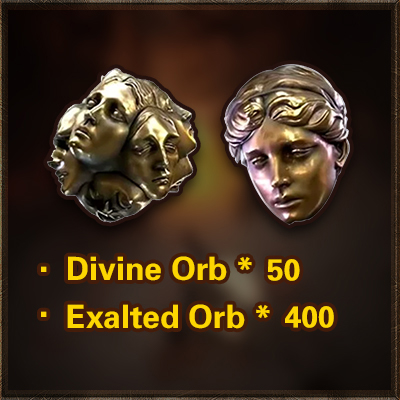
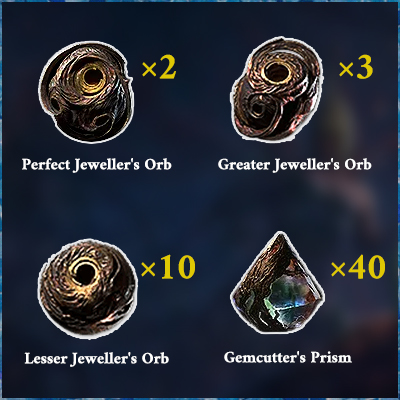
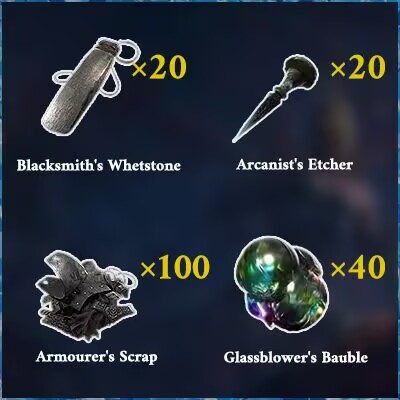
Table of Content
 Buy PoE2 Currency
 PoE2 Boosting