PoE2 0.2.0 Price Check & Sell Guide for Beginners
Last updated on April 2, 2025 by MMOJUGG Team | Game: PoE2 (Runes of Aldur 0.5.0) Guide | Tags: poe2 begennier guide
Path of Exile 2's economy is a wild beast - knowing how to price your items and sell them effectively can mean the difference between a stash full of Chaos Orbs and a pile of unsold junk. This guide is all about demystifying the process for newbies. We'll focus heavily on how to find out what your gear is worth (price checking), and then touch on listing it for sale. Don't forget to bookmark us and check out our PoE2 store—whatever you can dream up, we've got you covered! Grab your loot and let's get started!
How to Price Check Like a Pro
Price checking is an art, not a science - it takes practice, but you'll get the hang of it. The goal? To find out what other players are willing to pay for your item. Here's a step-by-step breakdown:
Step 1: Identify Key Modifiers
Every item's value hinges on its modifiers (mods). Start by identifying the 3-4 most valuable modifiers. For example, take a pair of boots:
35% movement speed 70 energy shield 84% total resistances (41-45% cold, 36-40% lightning) 21-25% increased item rarity Movement speed and resistances are hot commodities - players love speed and survivability. Energy shield and rarity are nice bonuses. Over time, you'll learn what's in demand by playing and watching the trends.
Step 2: Hit the Trade Site
Head to the trade site (poe.trade or in-game market). This is your pricing playground. For these boots:
Search for "boots" and filter by mods.
Set "movement speed" to 35% (exactly, because it's a big deal).
Add "energy shield" to 50+ (wide to start with).
Set "minimum 2 resistances" to 36%+ (covers cold/lightning).
Hit search. If you get 1,000+ results, your filters are too loose - too many boots match.
Step 3: Refine your search
Narrow it down with this extra mod: "increased item rarity" at 21%+. Now you might see 6-9 listings priced at 5-7 Divine Orbs. That's your range! If the results are still too wide, add sockets or tweak the values (e.g. 40%+ resistance). Too few? Bump up the energy shield to 30+. The sweet spot is 5-20 similar items.
Step 4: Check Listing Times
Look at how long items have been listed:
Early League: If it's been listed for days, it's overpriced - underbid it.
Late league: Fewer players, slower sales - price it lower to move it.
A result after a week? Could be ultra-rare (and expensive) or simply ignored.
For our boots, 5 Divine sells fast, 7 tests patience. Don't overestimate - 10 Divines could sit forever while the market shifts.
Step 5: Price Checking Uniques
For uniques like “Hand of Wisdom and Action” (24 dexterity, 22 intelligence, 2 sockets):
Search for the item name on the trade page.
Use "Filter by item stats" for Dexterity (20+) and Intelligence (20+).
Add "2+ sockets" if applicable.
Results may show 1-2 divine. Be flexible - over-specifying (exactly 24 dex) can leave you with nothing to compare. Start broad, then refine.
Pro Pricing Tips
Start Broad, Then Narrow: Start with 2-3 mods, add more as needed.
Think like a buyer: Would you pay 10 divines for this? If not, neither will they.
Learn over time: Mod values - movement speed is king now, but next league? Who knows. Play, observe, adapt.
How to Listing Items for Sale
Step 1: Get a Premium Stash Tab
First things first—you'll need a premium stash tab to sell items publicly. These don't come with the base game, but if you've picked up a Supporter Pack, you'll probably have points to get one. Here's how to set it up:
Open your stash, hover over the tab name and right-click to edit.
Name it something like "Sales" and toggle it to "Public".
Select 'Each item individually priced' to start. This allows you to set individual prices for each item.
Drop an item in, right-click on it, and choose your pricing option - Negotiable, Exact, or Don't index (hides it from the trade site if you're tired of whispering). For example, if your helmet is worth 150 Chaos Orbs, select "Chaos Orbs", type in "150", and boom-it's listed. Simple, right?
Step 2: Listing Bulk Items Like a Pro
Selling stacks—like 20 Exalted Orbs—works the same way. Right-click on the stack, set an exact price (say, 5 Chaos Orbs for all 20), and confirm. Hover over it to double-check: it'll say "5 Chaos Orbs for 20 Exalted Orbs". Mix-ups happen, so think: "I'll give you X of my stuff for Y of their currency". This trick works for essences or any bulk currency - handy for quick sales.
Step 3: Use Multiple Sales Tabs
Veteran traders swear by multiple tabs. Set one tab to "Exact price on all items" at, say, 1 Divine Orb for a "dump tab" of random loot. Got something more expensive? Put it in a 5 divine tab. If it doesn't sell, move it down a level each day (5 to 4 to 3 divine). It's a lazy but effective way to unload gear. Just don't leave any outdated listings up - nobody likes ghost sellers clogging up the market. Turn off public tabs that you're not actively using to keep trading running smoothly for everyone.
Dealing with buyers
Someone whispers to you? Right-click on their name, invite to party, trade, profit. If spammed, set an item to 'Do not index' for a breather.
Thanks for Reading
Price checking in Path of Exile 2 is a skill worth mastering—it turns chaos into Chaos Orbs. With the Trade Site as your guide and a little patience, you'll be pricing and selling like a seasoned Exile in no time. Keep learning, stay savvy, and follow MMOJUGG for more Wraeclast wisdom!
Special Pack for Your Endgame:
Also, we made some packs for your endgame! Easy Trading (Divine x50, Exalted x400), All-in-One Quality Pack (Etcher, Whetstones, Scraps, Baubles), and Ultimate Skill Pack (Gemcutters and Jewellers). Awesome, right? Check them Out!
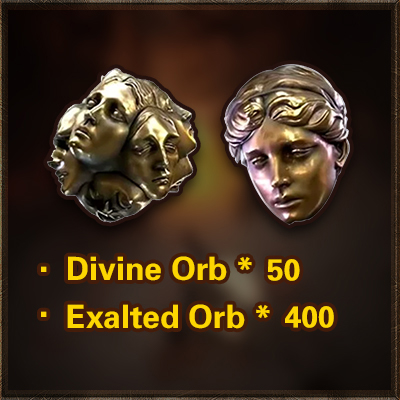
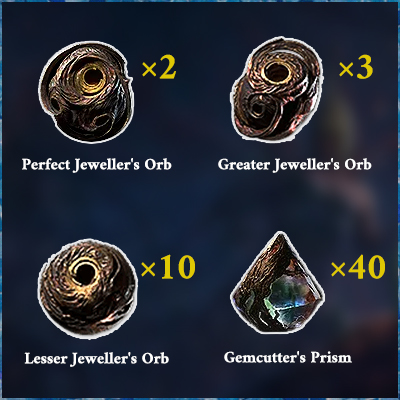
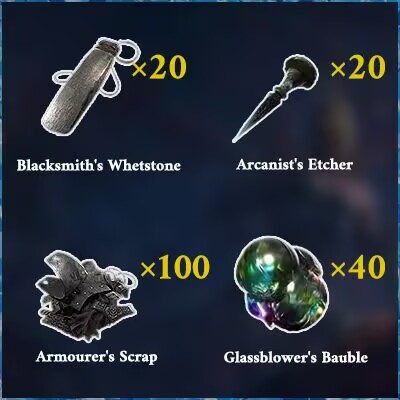
Table of Content
 Buy PoE2 Currency
 PoE2 Boosting