Must-Know Storage Tips for Dune: Awakening
Last updated on June 12, 2025 by MMOJUGG Team | Game: Dune Awakening Guide | Tags: Dune Awakening Tips
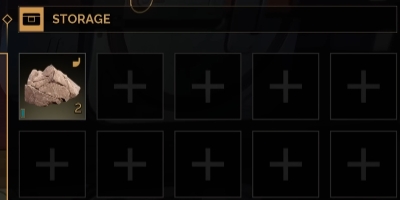
Efficient storage is a game-changer in Dune: Awakening, where managing resources like Solari, Spice, and crafting materials can make or break your clan's success. From quick inventory transfers to advanced circuit systems, this guide covers must-know storage tips to keep your base organized and your resources secure. Whether you're a solo player or leading a guild, these strategies will save you time and effort. For more Dune: Awakening guides and exclusive in-game resources, bookmark our site and visit our Solari and Spice store to enhance your Arrakis journey.
Quick Inventory Transfers
Managing your inventory doesn't have to be a chore. Here's how to streamline the process:
One-Tap Deposits: If an item in your inventory matches one in a chest or vehicle, tap the "F" key to instantly deposit it. This works for both storage chests and vehicles, such as buggies or ornithopters, saving you from tedious manual transfers.
Vehicle-to-Chest Transfers: To empty a vehicle's inventory, interact with a storage chest and select the “Backpack" option on the left. Choose your vehicle (e.g., buggy or scout ornithopter) to transfer all items directly into the chest. Note: The game currently lacks vehicle naming, so track which vehicle you're emptying to avoid confusion.
Double-Stacking Chests for Space Efficiency
Maximize your base's storage capacity by double-stacking chests:
How to Build: Place two small storage chests side by side. Add a half-height wall behind them, then place a roof on top to create a platform. Add another layer of chests on this platform. This setup doubles your storage without expanding your base's footprint.
Limitations: This works only with small storage chests, as medium chests are too tall for stacking under a standard wall height.
Benefits: Double-stacking is ideal for compact bases, especially when you're hitting building caps early in the game.
Mastering the Circuit System
The circuit system in Dune: Awakening lets you control how resources move between crafting stations and chests. Here's how to use it effectively:
Circuit Basics: Each chest can be assigned to a circuit (e.g., Circuit 1, Circuit 2). The left circuit setting determines which chest a crafting station pulls resources from, while the right setting dictates where crafted items are pushed.
Organizing Resources: Assign specific chests to receive items from Circuit 2 (or another designated circuit) to keep resources organized. For example, set a chest to store only plant fiber to prevent crafting stations from pulling it accidentally.
Protecting Personal Items: Designate a “no-craft" circuit (e.g., Circuit 9) for personal or clan storage. Crafting stations won't pull from this circuit, ensuring your valuable items stay safe.
Sub-Thief Settings: By default, sub-thiefs (base management stations) pull from Circuit 1 for crafting. Change this to a specific circuit (e.g., Circuit 8) if you want to limit which chests are used for building.
Automating Crafting Station Storage
Keep your crafting stations efficient with these tricks:
Fill Storage to Push Items: If a crafting station's internal storage is full (e.g., with plant fiber), crafted items automatically transfer to a linked storage chest. This prevents clutter and keeps your stations running smoothly.
Circuit-Specific Crafting: Set crafting stations to pull from specific circuits to avoid using rare materials unintentionally—for example, reserve Circuit 1 for common resources and Circuit 8 for high-value items.
Refueling Generators with Ease
RefRefuellingnerators is cricrucialr maintaining power tour base poere's a time-saving tip:
Sub-Thief Refueling: Use the sub-thief's refuel button to automatically pull fuel (e.g., power cells or lubricant for wind turbines) from its linked circuit. This can provide days of power—up to 12 days, 22 hours, and 53 minutes in one go, depending on your setup.
Circuit Management: Ensure the sub-thief is linked to a circuit with sufficient fuel to avoid manual refueling.
Setting Chest Access Levels
Control who can access your storage chests to protect your resources:
Access Settings: As the chest owner, go to the general settings to adjust access levels. Set restrictions to clan-only or specific ranks to prevent unauthorized access.
Clan Coordination: Communicate with your clan to ensure everyone understands which chests are for shared use and which are restricted.
Additional Tips for Success
Track Vehicles: Until vehicle naming is added, label vehicles mentally or coordinate with your clan to avoid mixing up inventories.
Plan for Building Caps: Double-stacking chests helps when you're limited by base size. Unlock technologies to expand your building cap as needed.
Test Circuit Configurations: Experiment with circuit setups to find what works best for your clan's workflow, especially for large-scale crafting projects.
Regularly Check Storage: Periodically review chest contents to prevent overflow or accidental crafting of valuable items.
FAQs About Storage in Dune: Awakening
How do I quickly transfer items from my vehicle to a chest?
Interact with a chest, select “Backpack," choose your vehicle, and transfer all items instantly. Tap "F" for matching items.
Can I stack medium storage chests?
No, medium chests are too tall for double-stacking under standard walls. Use small chests for this setup.
How do I stop crafting stations from using my personal items?
Assign personal items to a dedicated “no-craft" circuit (e.g., Circuit 9) that crafting stations and sub-thiefs don't pull from.
What's the benefit of the circuit system?
Circuits let you organize resources, control crafting inputs, and automate item transfers, keeping your base efficient and tidy.
How do I refuel generators without manual work?
Use the sub-thief's refuel button to pull fuel from its linked circuit, powering generators or wind turbines for days.
Thanks for Reading
These storage tips will transform your Dune: Awakening base into a well-oiled machine, saving you time and keeping your resources secure. From double-stacking chests to mastering circuits, you're now equipped to dominate Arrakis's resource game. Stay tuned to MMOJUGG for more guides to elevate your desert adventure!
👉 [Explore our Dune: Awakening Ultimate Guides Hub Now]
Table of Content
 Buy Dune Awakening Solari
 Buy Dune Awakening Items
 Dune Awakening Boosting